
Writing On Retro Computers
I have a true passion for restoring and maintaining retro computers of various kinds, including old video game systems such as the Vectrex, Atari 2600 and Colecovision, among others.
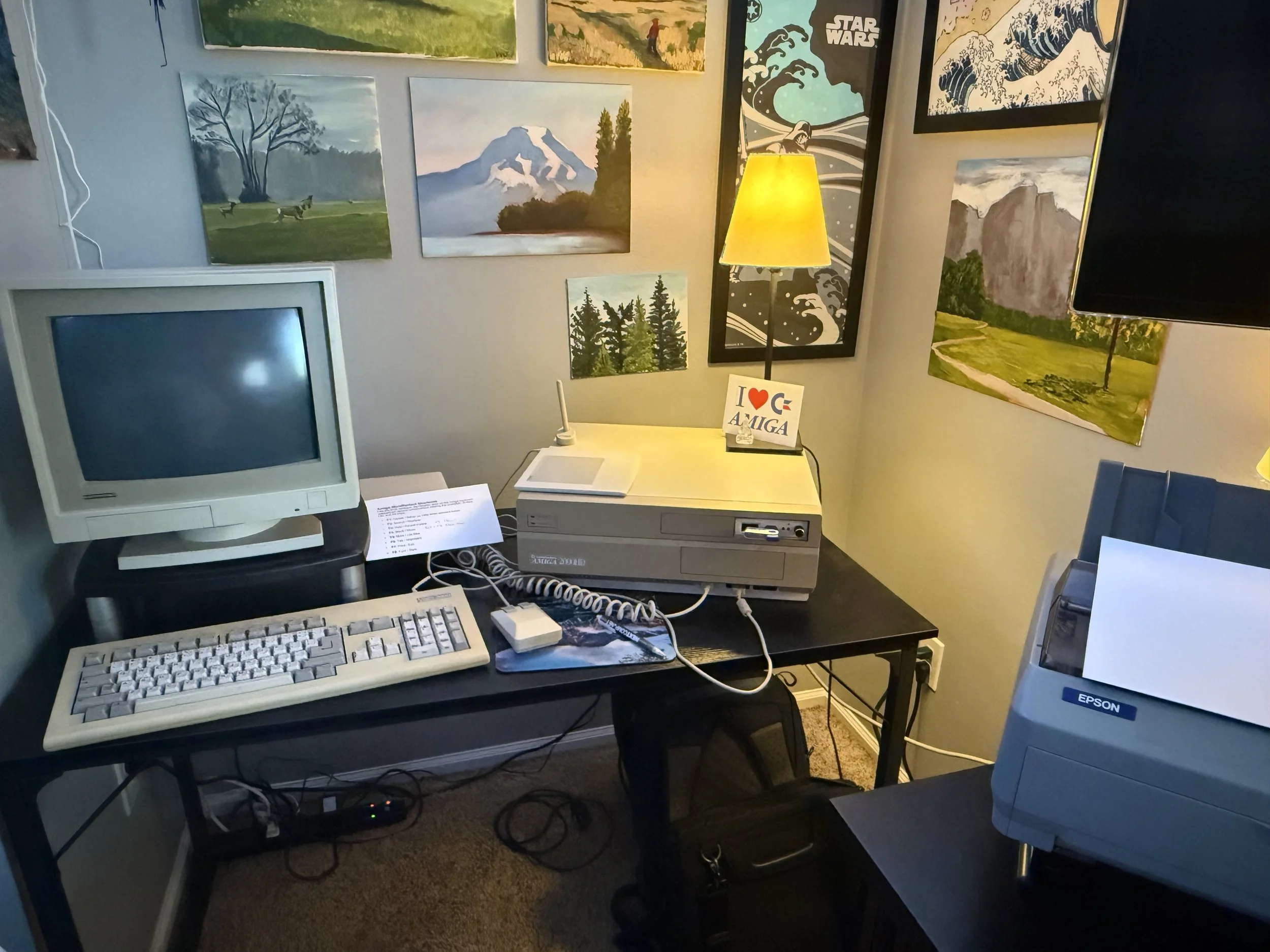
Amiga 2000 HD with original keyboard and mouse. Also an Epson LQ-590 dot matrix printer in the right foreground.
I’m writing and typing up Spectolight on an Amiga 2000HD computer with a 68030 accelerator card, 240 MB hard drive and 10MB of RAM. This would have been a really powerful machine back in the early 1990s. And it runs very fast and efficently for writing and typing up my novel. I absolutely love the feel and sound of the original keyboard. The plastics are showing a bit of yellowing. “A bit”, maybe a lot of yellowing. I’m totally OK with that look. I have no plans to “retro brighten” the plastics. It’s an old computer and this is just what happens over time. The Amiga has a Gotek floppy drive emulator that let’s me save to a USB drive and then transfer the files to work with them on the Apple Power Mac G4. I’m writing mostly in a program called “TransWrite 2” which is a super fast mostly text editor with some word processing features. Sometimes I fire up WordPerfect 4.1 if I want to do columns or other more complex layouts. But mostly the layout is happening on the Power Mac G4 using PageMaker 7.0, which is in my opinion, the best desktop publishing application every written. I know newer program have more features but honestly I don’t need them.
You can also see a corner of the 2004 Epson LQ-590 dot matrix printer. This is hooked up to the Amiga so I can print out my drafts directly from the Amiga without having to transfer files to another computer, such as my desktop iMac, for printing. Ribbon cartridges are still manufactured new for this printer. Crazy! I will post a video of the printer in action so we can enjoy the lovely sounds of the dot matrix printer.
Here’s the Mac setup with a temporary desk/table. I’m still arranging my office and getting a new desk for this beautiful piece of engineering.
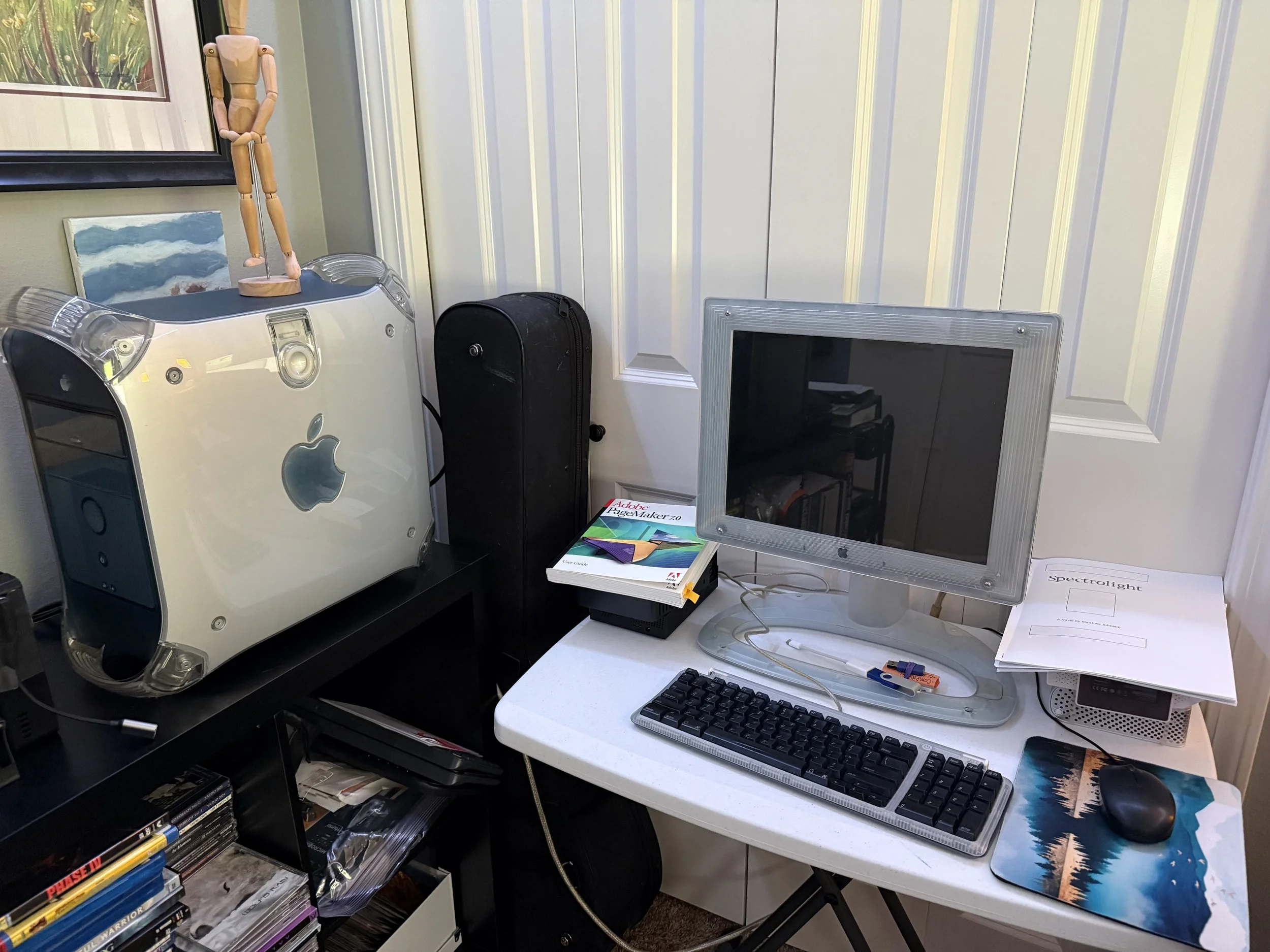
Apple Power Mac G4 with original LCD “Studio Monitor” and keyboard. I’m still sourcing an original mouse. I own a physical copy of PageMaker 7.0 and the manual sits on my desk for easy reference.
I’m doing typesetting and book design on a Power Mac G4 with 1 gigabyte of ram and a 80 gigabyte internal hard drive. Again, this would have been a very powerful computer in the late 1990s and early 2000’s. This computer has an interesting history. It was originally used at the Pacific Science Center, I think it may have been running some displays or other visitor interaction exhibits. When the Pacific Science Center retired the G4s, they stored them in a basement/crawlspace area with the idea that someone would take them to PC recycling. Well, no one ever took them to recycling, so they sat there for 15 (or more) years collecting dust. I was able to secure one with the idea that maybe, fingers crossed, I could bring it back to life. I installed new ram, a new hard drive, a new clock battery and cleaned everything, including putting new thermal paste on the CPU. And low and behold, it came back to life no issues! Incredible engineering on these machines.
And for “on-the-go” writing, I have an AlphaSmart 3000. This is kind of the ultimate distraction free writing tool. It has one purpose and that is to be a portable writing machine. The battery will last for weeks and it’s super easy to plug this into a USB port and transfer the typing to another computer. I do this either using an emulated Amiga or directly into the Power Mac G4. I’ll discuss Amiga emulation and why I also use a modern Raspberry Pi 5 for some tasks in another post.
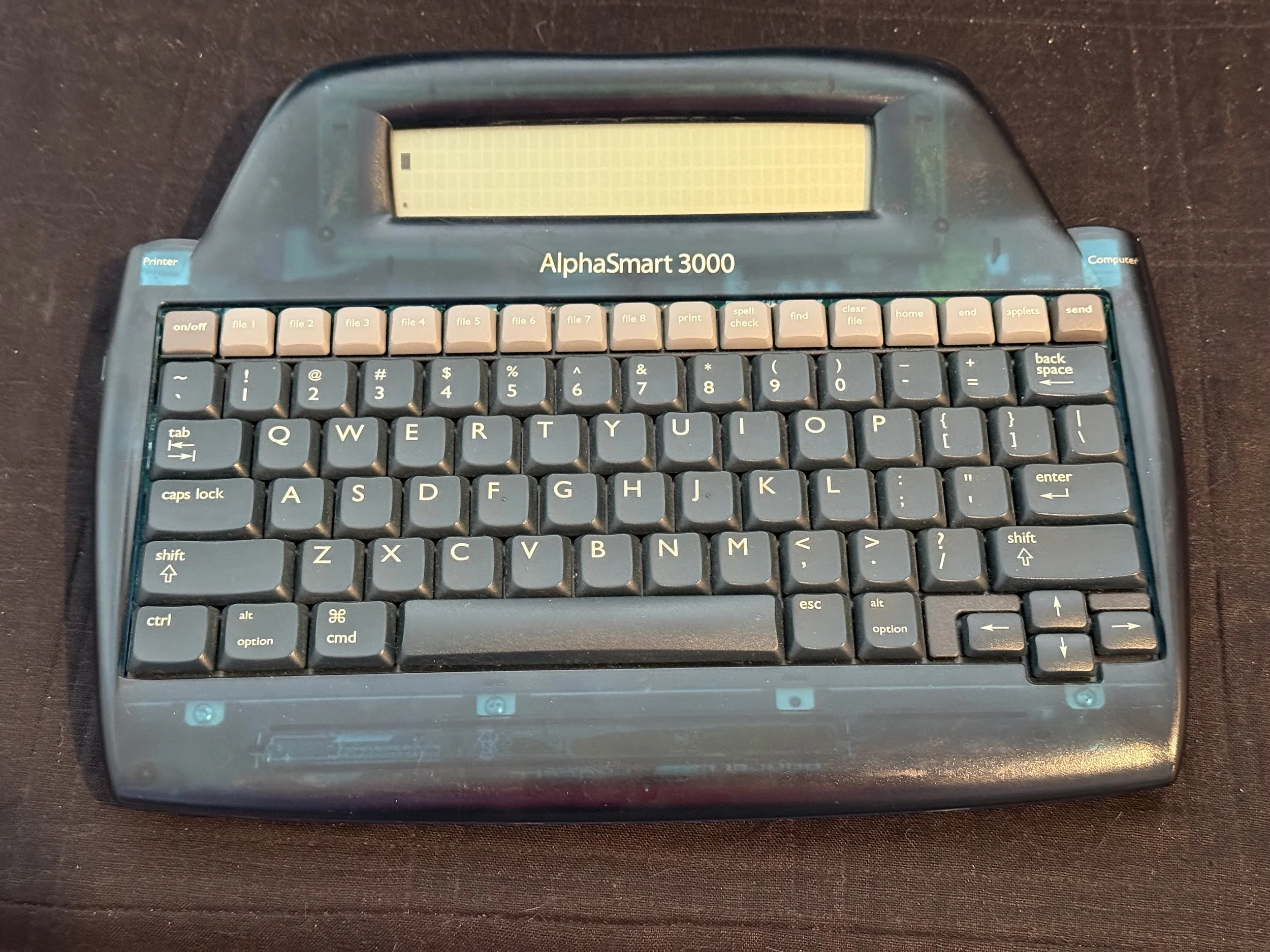
The AlphaSmart 3000 was released in January 2000 and found a niche in the education market and has recently made a resurgence as an distraction free writing machine.
So why go to all the trouble of setting up and maintaining these old computers?
Because it’s fun. I enjoy it. Working on them brings me joy and a smile to my face.
And, more concretely, these machines are not connected to the internet. They are 100% distraction free workstations. I put my phone out of reach, put on a vinyl record for some background music, and get into the writing and designing zone. I feel so productive and focused working on these machines. I feel that is something that we’ve lost with our always connected always on world. I want to bring back a little bit of that feeling of being disconnected and focused on one single task, with no interruptions.
In future posts on this blog I’ll demo the old computers and how I use them as well as talk about the process of writing my novel.
Stay tuned!